


Mods & Map for MCPE Minecraft
4.5123.00 Reviews
App Specs
- Version
- 1.2.8
- Updated On
- License
- Free
- Downloads
- 1,000,000+
- Developer
- RETRO GAMING LABS
- Categories
- Libraries & Demo
- Platform
- Android
Screenshots
 Analysis by AppCompare
I judge Minecraft add-on apps by what happens after the first burst of curiosity: whether they make it easier to choose something worth trying, and whether they still feel useful once a few new worlds have lost their shine. Mods & Map for MCPE Minecraft is aimed at players who want a more direct route to extra content for Minecraft Pocket Edition. My first impression is that its appeal is practical as much as playful: it gathers ideas for changing a familiar game, but the real test is how thoughtfully you choose and manage what you bring into your worlds.
The first-week appeal: easy ways to change a familiar game
In the first few sessions, the attraction is easy to understand. A player who has built the same kind of house or explored the same familiar terrain can look for a different map, skin, or add-on and give the next play session a new purpose. The app is free to install, with optional in-app purchases priced from $1.99 to $19.99 per item, so I’d start by exploring what is available before deciding whether any paid content is worth it for me.
The key is to treat each download as a small experiment rather than a permanent upgrade. Before adding anything, I’d check whether it suits the way I actually play: a solo builder may want a new setting to explore, while someone who mainly plays with friends may care more about whether everyone can use the same content. Trying one item at a time makes it easier to spot what you enjoy and to avoid turning a promising new world into a confusing pile of changes.
Unleashing Creative Potential
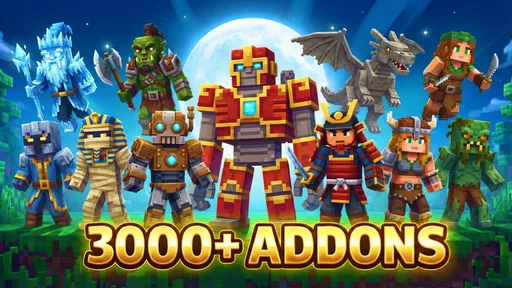
First off, let’s talk about the sheer variety of mods available. The Mods & Map for MCPE Minecraft app offers an expansive library of mods that can enhance your gameplay. From magical spells to futuristic technology, the options are virtually endless. I spent hours exploring mods that introduced everything from new biomes to exotic animals. It’s like having a new game every time you open the app!
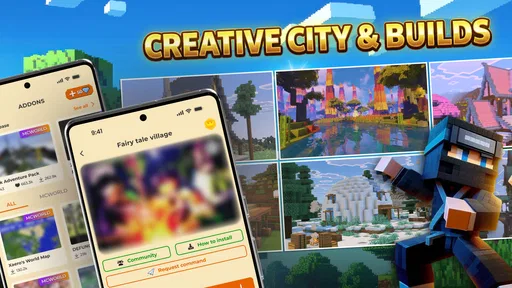
Installation is a breeze. The app provides a user-friendly interface that walks you through each step. No more fumbling around with complicated files or settings—just select your favorite mod, and you’re good to go. The app even offers detailed descriptions and user ratings, so you know exactly what you’re getting into before you hit that download button.
Choose content for the session you actually want
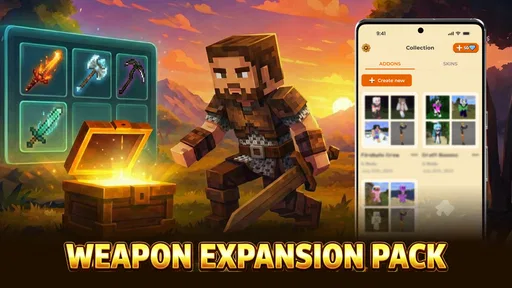
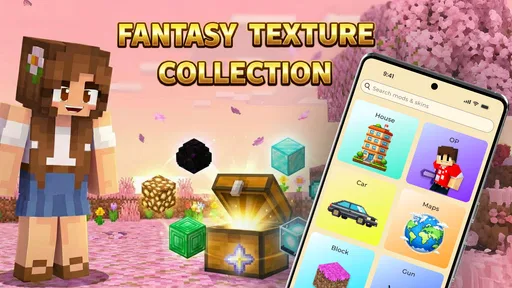
The broad mix of add-ons, maps, skins, and shaders is useful because those options solve different problems. A map can provide a ready-made place to explore, while a skin changes how your character looks without necessarily changing what you do in the world. A gameplay add-on may affect the experience more substantially. I’d avoid treating all of these as interchangeable: decide whether you want a new destination, a visual change, or a different kind of play before browsing, then focus on that purpose.
That small habit also helps answer a practical question: how do you know whether an item is a good fit? Read its description carefully, pay attention to any user feedback shown in the app, and look for clear indications of what it changes. Ratings can help narrow a crowded choice, but they are not a promise that an item will suit your world or play style. I’d use them as a clue, then make the first test in a world I can afford to leave untouched if the result is not what I expected.
Worth Reading Before You Choose

Baby Panda World Brings Quick Play to Modern Phones, but Its Game Library Feels Busy

ESPN’s Live Game View Makes Following Close Games Easier

QuizzLand Review: A Good Fit for Short Trivia Breaks, Not Every Player

Basketball Stars: Multiplayer Is Fast, but Can It Recover When Matches Go Wrong?

WEBTOON Turns Phone Updates Into a Better Reading Routine

Link to Windows Runs on Shared Habits, Not Social Feeds
Exploring New Worlds
Now, let’s dive into the maps. If you’re someone who loves exploring new terrains, this app won’t disappoint. The maps range from intricate cities to sprawling landscapes, each crafted with incredible detail. One of my favorites was a map featuring a massive medieval fortress, complete with dungeons and hidden treasures. It was like stepping into a storybook adventure.
What’s great is that these maps are not just visually stunning; they’re interactive too. Many maps come with custom challenges or quests, adding a new layer of excitement to your gameplay. It’s a fantastic way to keep the game fresh and engaging, especially if you’ve been playing for a while.
A useful routine for trying maps safely
For a relaxed evening, I’d browse for one map that matches the time I have rather than downloading several at once. A short visit to a self-contained setting can work when I only have a little time; a larger landscape or challenge makes more sense when I can explore without rushing. If I am playing with someone else, I’d agree on the map first and make sure we are both prepared to use the same content, instead of discovering a compatibility snag after we have planned the session.
I’d also keep a simple mental record of what I installed and which world I used it with. That is a low-effort way to make later troubleshooting less frustrating: if a world behaves differently after a change, I can connect the timing to the content I added. It is better than installing several items in a row and then having no clear idea which one caused a problem or which one I would actually keep.
Month-to-month value comes from curation
After the novelty fades, the app is most useful as a place to return when I have a specific itch to scratch, not as something I need to browse every day. One week I might want a new landscape; another time I may want to refresh the look of a character or experiment with a visual style. That variety gives it recurring potential, but it does not guarantee that every visit will reveal something I want to keep. The lasting value depends on choosing selectively and making room for content that changes how I enjoy Minecraft, rather than collecting downloads for their own sake.
That makes this a better fit for players who already know what they want to do next than for someone expecting the app to supply a complete, ongoing play routine. If I am short on ideas, browsing can help me find a starting point. But I still need to decide whether a new item fits my current world, how much time I want to spend learning it, and whether it adds enough to justify another change.
Maintenance without turning play into a project
A little care goes a long way with third-party Minecraft content. I would keep important worlds separate from experiments, and I would avoid making a big change to a world I have spent a long time building until I know how the new content behaves. This is not a claim that every download causes trouble; it is simply a sensible way to protect work I care about when trying something unfamiliar.
If an item does not appear or does not behave as expected, I would first revisit its description and the installation steps, then check whether I have followed the requirements presented for that item. Changing one thing at a time makes the cause easier to identify. Players who want a completely hands-off experience may find that even this modest checking feels like too much, and they may be happier sticking to content already available directly within their usual Minecraft setup.
Where fatigue can set in
The main risk is choice overload. A large catalog sounds inviting, but scanning options without a clear goal can become its own chore, especially if I keep saving ideas for later instead of actually playing. I’d set a simple limit for myself: choose one item for the next session, try it, and decide whether it earned a place in my rotation. That turns browsing into a useful step rather than the whole activity.
There is also a difference between a promising description and a dependable match for a particular player. User feedback can guide a decision, but tastes differ, and content that sounds exciting may not fit a quiet building session or a shared world. If I care most about stability and a consistent experience, I would be cautious about changing a world that matters to me just to test a trend. The app is at its best when experimentation is welcome, not when every session needs to remain predictable.
Who should use it—and who may prefer another route
I can see this being especially useful for curious MCPE players who enjoy browsing, testing new settings, and refreshing a game they already know well. It also suits someone who wants a convenient starting point for discovering different kinds of content rather than searching through scattered sources. By contrast, players who rarely use add-ons, want only official or familiar content, or do not want to check installation details may be better served by staying with the options they already trust.
Compared with searching for individual downloads elsewhere, a dedicated catalog can make discovery feel more organized because different kinds of Minecraft extras are brought together in one place. The trade-off is that a catalog is still a middle step: I need to judge each item on its own, and I should not assume that everything will suit every device, world, or version. If I already have a reliable source and a careful way to manage files, this app may add convenience rather than a wholly new capability.
Community and Updates
Another feature worth mentioning is the community aspect. The app allows you to interact with other players, share your creations, and even get feedback. It’s a vibrant community that adds a social dimension to your Minecraft experience. Plus, the developers are constantly updating the app with new content, so there’s always something to look forward to.
The app also boasts excellent support. If you ever run into issues, the help section is comprehensive and easy to navigate. Plus, regular updates ensure that the app remains compatible with the latest version of Minecraft PE, so you won’t have to worry about missing out on new features.
What to check before making it part of your routine
Because Minecraft and its add-on ecosystem can change, I would check the current version of the game and the app’s instructions before relying on a particular download for a planned session. The app is currently at version 1.2.3, and it is listed for Android 7.0 and later. It is developed by RETRO GAMING LABS, has a Teen content rating, and is listed in the libraries and demo area rather than as Minecraft itself. Those details matter if you are choosing an app for a younger player or checking whether a device is suitable.
The listing shows a 4.4 average from around 3.3 thousand ratings, with over 100 thousand installs. I take that as a useful sign that other people have tried it, not as proof that every download is reliable or that I will like the same content. It is also worth remembering that the app is free while offering optional purchases, so I’d keep an eye on any purchase prompt and make sure I understand what an item costs before deciding to buy it.
Final Thoughts
Overall, the Mods & Map for MCPE Minecraft app is a must-have for any Minecraft enthusiast. It’s packed with features that enhance gameplay, offering endless possibilities for creativity and exploration. Whether you’re into building epic structures, embarking on daring quests, or simply exploring new worlds, this app has something for everyone.
So, if you’re ready to take your Minecraft adventures to the next level, give this app a try. It’s a fun, easy, and highly engaging way to make the most out of Minecraft Pocket Edition. Happy crafting!
My long-term verdict
For me, the strongest reason to keep this app around is that it can help turn “I’m bored of my usual world” into a concrete next step. Its range is more appealing when I browse with a purpose, and less so when I expect every visit to deliver a perfect match. I would give it a place on my device if I regularly experiment with MCPE content and am willing to keep my important worlds separate from tests.
If I wanted a hands-off, set-and-forget companion, or if I cared more about predictability than variety, I would skip it or use a source and workflow I already know. But for a player who likes trying new maps and changing the feel of Minecraft in manageable doses, it can offer repeat value beyond the first week. The practical question is not how many things I can install; it is whether the few I choose make me want to return to the game.
Pros
- Extensive mod collection available.
- Easy integration with Minecraft PE.
- Regular updates for new content.
- User-friendly interface for navigation.
- Supports multiplayer mod usage.
Cons
- Some mods may not work perfectly.
- Requires in-app purchases for premium mods.
- Occasional ads can be intrusive.
- Compatibility issues on older devices.
- Limited offline functionality.
FAQs for Mods & Map for MCPE Minecraft
What is Mods & Map for MCPE Minecraft and how does it enhance gameplay?
Mods & Map for MCPE Minecraft is an application designed to enrich your Minecraft Pocket Edition experience by providing a wide variety of mods and maps. These additions can modify gameplay elements, enhance graphics, or introduce new features, allowing players to customize their game environment extensively. This app serves as a hub to easily download and install these enhancements, making it a must-have for avid Minecraft players looking to explore new possibilities.
Is Mods & Map for MCPE Minecraft safe to use?
Yes, Mods & Map for MCPE Minecraft is designed with user safety in mind. The app carefully curates mods and maps, ensuring they are free from harmful software or malware. However, it's always recommended to download the app from trusted sources such as the official Google Play Store or Apple App Store to avoid unofficial versions that could pose security risks.
Do I need technical skills to install mods and maps using this app?
No technical skills are required to use Mods & Map for MCPE Minecraft. The app provides a user-friendly interface that guides you through the process of installing mods and maps. With just a few taps, you can easily integrate new content into your Minecraft game. The app handles all the complexities, allowing even beginners to enjoy customized gameplay effortlessly.
Are there any costs associated with using Mods & Map for MCPE Minecraft?
Mods & Map for MCPE Minecraft offers a combination of free and premium content. While the app itself is typically free to download, some advanced mods or unique maps may require in-app purchases. These premium options often provide enhanced features or exclusive content, so users can choose based on their preferences and budget. Always check for any costs before downloading specific items.
Can Mods & Map for MCPE Minecraft be used on all devices?
Mods & Map for MCPE Minecraft is compatible with most Android and iOS devices that support Minecraft Pocket Edition. However, it’s important to ensure that your device meets the minimum system requirements for both the app and Minecraft PE. Older devices may experience performance issues, so checking compatibility beforehand is advisable to ensure a smooth and enjoyable experience.


